Are silence removal and filler-word removal the same thing?
No — and the confusion costs people real money and real time. Silence removal finds stretches of audio where almost nothing is happening — the gap between sentences, the pause while you check your notes — and cuts them out so the recording gets shorter. Filler-word removal targets sounds you actually made: the "um", "uh", "like", and "you know" that pad spoken delivery. A recording can suffer from either problem, both, or neither, and the fix for one does nothing for the other.
How does amplitude-based silence removal work?
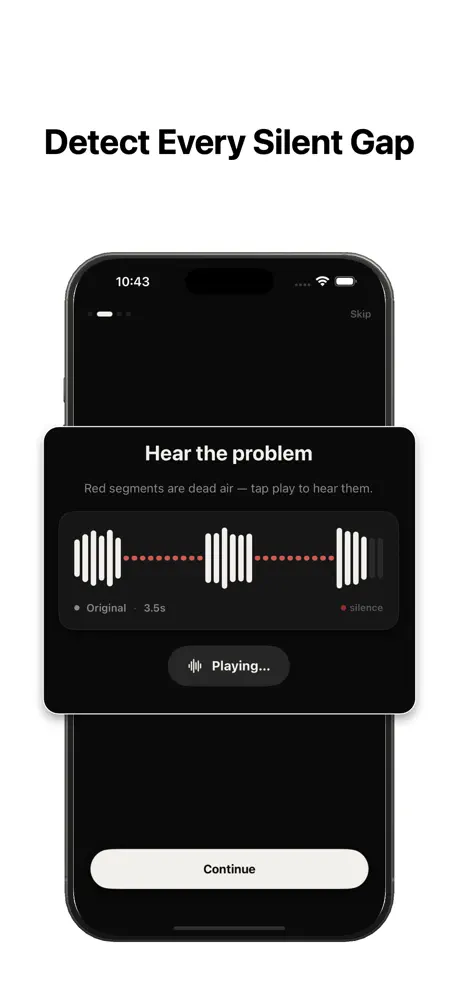
Silence removal is signal math. The tool scans the waveform and asks three questions: how quiet does a moment have to be to count as silent (the threshold), how long must that quiet stretch last before it is worth cutting (the minimum silence length), and how much breathing room should survive around each cut (the padding). Anything that fails all three tests is removed, and the remaining speech is joined back together. The full tuning process is covered in our guide to removing silence from audio and video.
Because it only measures loudness, this approach is fast, deterministic, and language-independent. It never needs to understand a single word you said — which is also why it can run entirely on your phone, in seconds, without uploading anything.
How does AI filler-word removal work?
Filler-word removal starts from a transcript. The tool runs speech-to-text on your recording, flags the words and part-words it considers filler, and deletes those spans from the audio. Descript and Cleanvoice are well-known examples of this approach. It is genuinely useful — but it depends on transcription accuracy, it is language-specific, and because speech models are heavy, these tools typically process your audio in the cloud on a subscription or per-minute plan.
It also involves judgment calls that a loudness meter never faces. "Like" is filler in one sentence and a real word in the next, so transcript tools occasionally flag words you meant to keep — most offer a review step for exactly that reason.
Which problem does your recording actually have?
Listen to sixty seconds and diagnose. If the recording feels slow because nothing happens between sentences — you pause, think, sip coffee, restart — the problem is silence, and an amplitude-based pass will transform the pacing. If the recording moves along but every sentence starts with "um" or leans on "you know", the problem is filler words, and no silence remover will touch them, because those sounds are speech: they sit well above any sensible threshold.
As a rough pattern, podcasts, lectures, and screen recordings suffer more from gaps; nervous first takes and unscripted interviews suffer more from filler. Long-form recordings often have both.
Does SilenceRemover delete "um" and "uh"?
No — and it is worth being direct about this before you download anything. [SilenceRemover](/) is a threshold-based silence cutter: it detects quiet gaps using threshold, minimum silence length, and padding, and removes them on-device with no upload and no account. It does not transcribe your audio, and it does not remove filler words. An "um" is a sound you made, so to a loudness detector it is speech, not silence. If your main problem is verbal tics, you want a transcript-based tool instead — or in addition.
The trade-off runs the other way too: transcript tools are heavier, cloud-based, and subscription-priced, which is a lot of machinery if the only thing wrong with your recording is dead air.
Can you use both together?
Yes, and for polished long-form audio the combination is common. Run the transcript-based pass first: remove filler words in a tool built for it, review its suggested cuts, and export the result. Then run silence removal on that export to tighten what remains. This order works better for a simple reason — deleting an "um" often leaves behind the pause it sat inside. The filler is gone, but the gap survives, and the amplitude pass is what closes it. Reversing the order means the transcript tool works on already-tightened audio and its deletions reopen small holes you then have to fix again.
Why doesn't one tool just do both?
Some editing suites do offer both, but they are two separate engines under the hood, and the difference shows up in cost and privacy. Amplitude analysis is light enough to run privately on a phone. Transcript-based editing needs a speech model, which usually means uploading your audio, waiting on processing, and paying for compute. Bundling them means paying cloud prices even when all you needed was the light half — which is exactly why focused, on-device silence tools exist as a category of their own.
Which should you fix first?
If you only fix one thing, fix the silence — it is usually the bigger win per minute of effort, cutting real runtime in one automatic pass. Filler words are often better treated as a delivery habit: slowing down and pausing instead of saying "um" fixes every future recording for free, and the pause it leaves behind is exactly what a silence remover cleans up. And keep a third problem separate in your head — steady background hiss or hum is neither silence nor filler; that boundary is covered in silence removal vs noise removal.